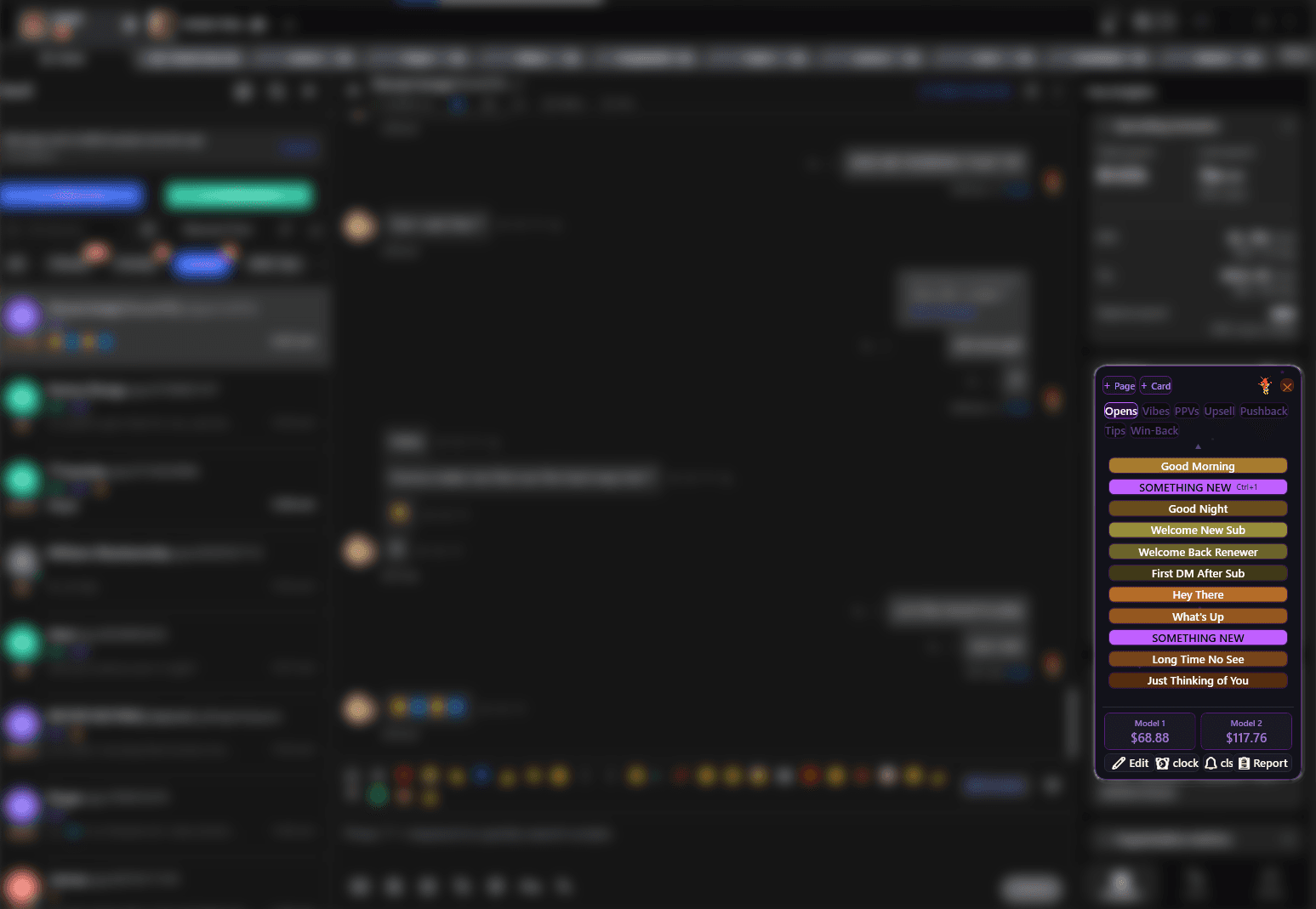
Stop alt-tabbing.
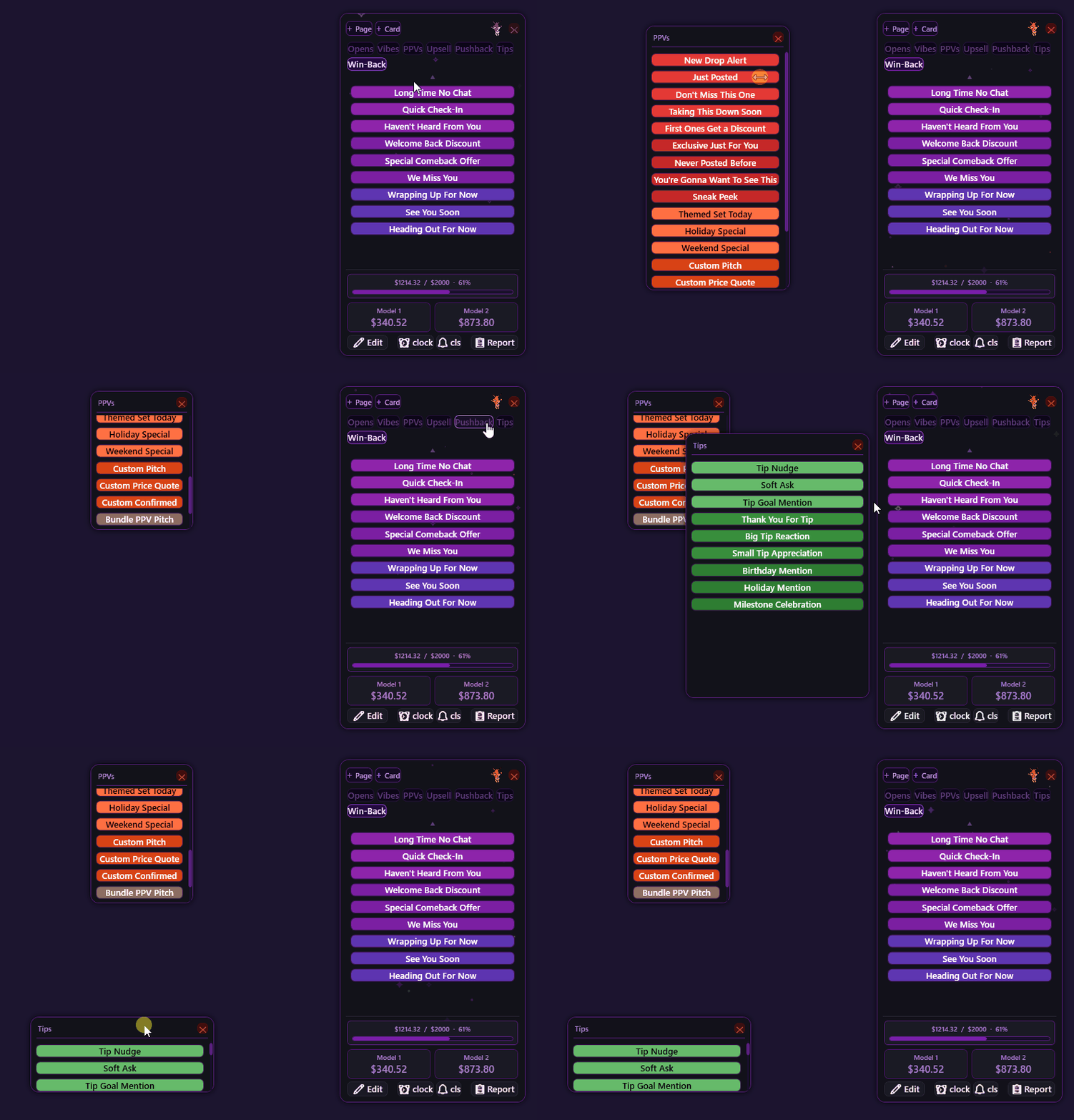
Start selling PPVs.
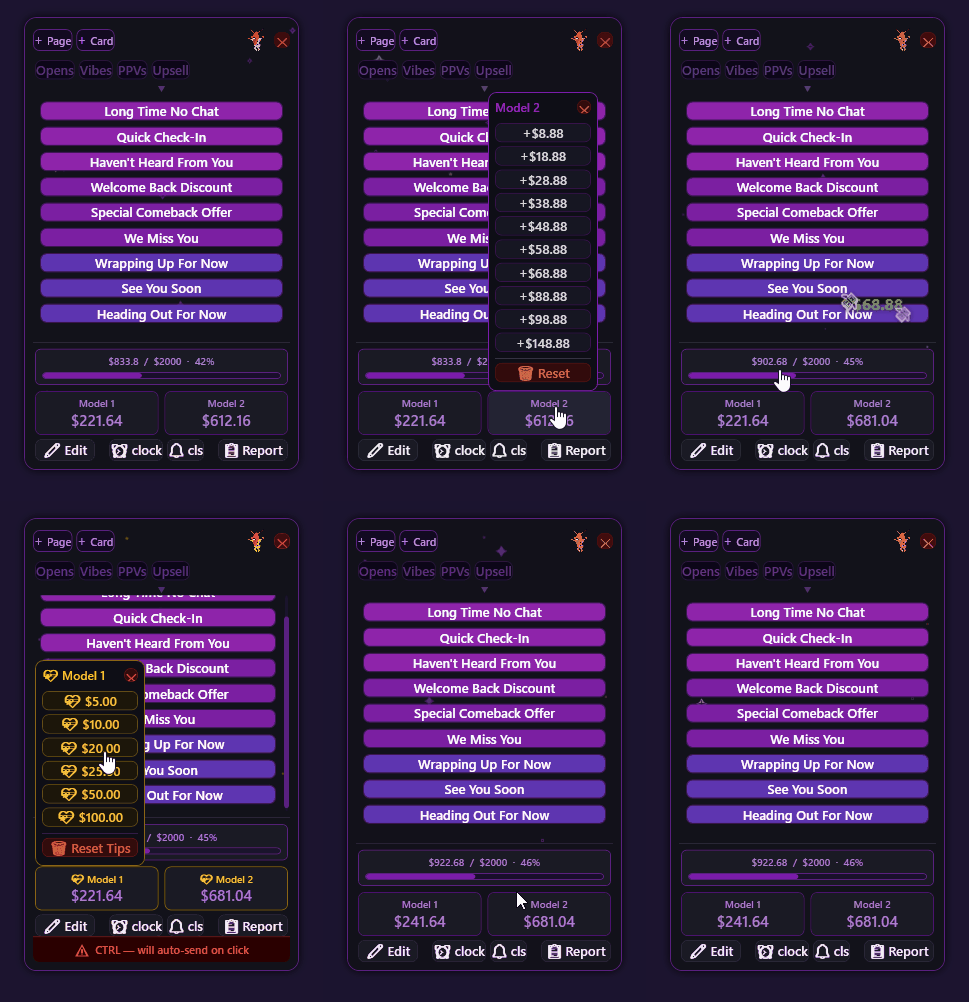
A small, compact panel that floats over any chat platform and never steals your keyboard focus — out of your way until the moment you need it. Ctrl+click any card to send it instantly — no Enter, no second step. Load a whole new batch of scripts in minutes, not hours. Log every PPV the second it sells, and walk away from your shift with a report already done.
$19.90 one-time — no subscriptions. Locked to your machine. Windows only — no Mac or Linux support. No API access to your chat platform, no middleman reading your messages.
Every second alt-tabbed is a second someone else is faster than you.
Hunting through notes for the right line. Typing the same price out for the fifth time tonight. Losing track of which tip you already logged. It's not that you don't know what to say — it's that getting it onto the screen fast enough is its own job. C.H.A.T. is the part of the job you shouldn't have to think about.
Everything you need on shift
A handful of things it does extremely well, instead of fifty things it does badly.
Paste it before they notice you paused
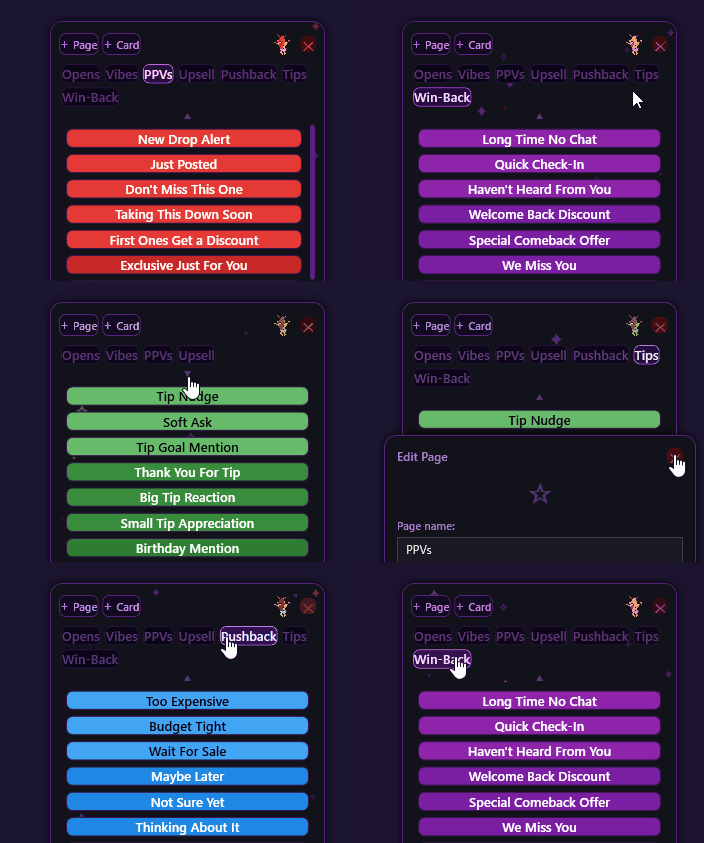
Same scripts, any CRM, any model
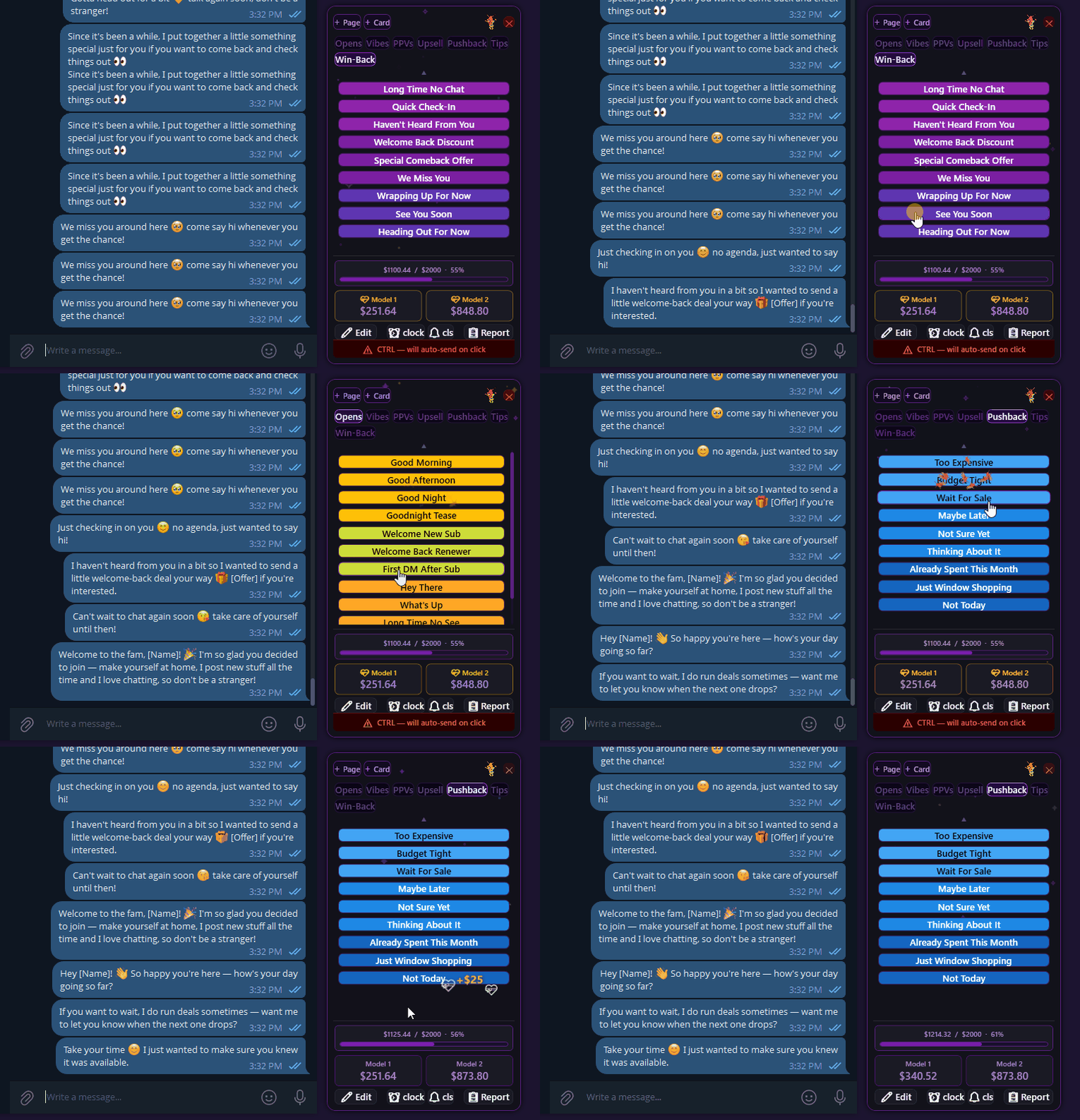
Make any card yours in a couple clicks
Right-click any card to rename it, recolor it, or rewrite its text on the spot. Cards support full rich text and emoji too, so a line copied with custom colors, sizes, formatting, or emoji pastes exactly as styled, not as flat plain text.
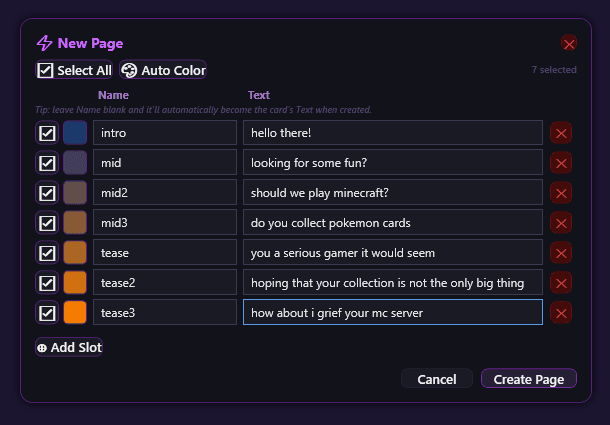
Loading in a whole list of scripts? Skip the one-by-one grind
Quick Page Maker bulk-creates a whole page in one pass — give it a page name and roughly how many cards you want, and it hands you that many ready-to-fill slots at once, with bulk color (Auto Color) to organize the whole batch in a single action.
Your scripts, your way, everywhere you need them
Log the PPV the second it sells
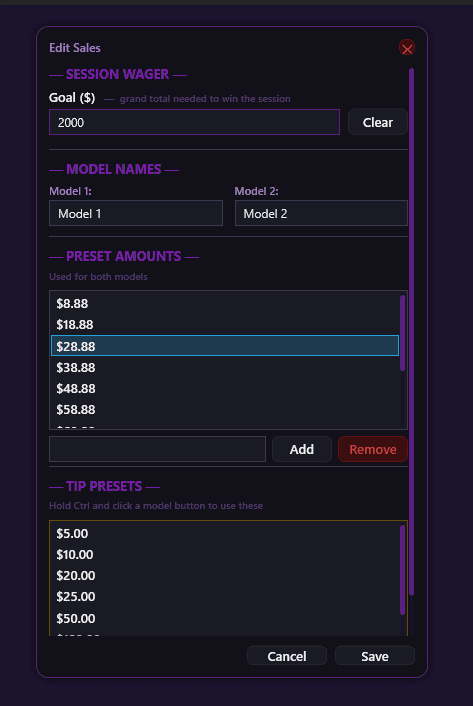
Set it up once, run it your way every shift
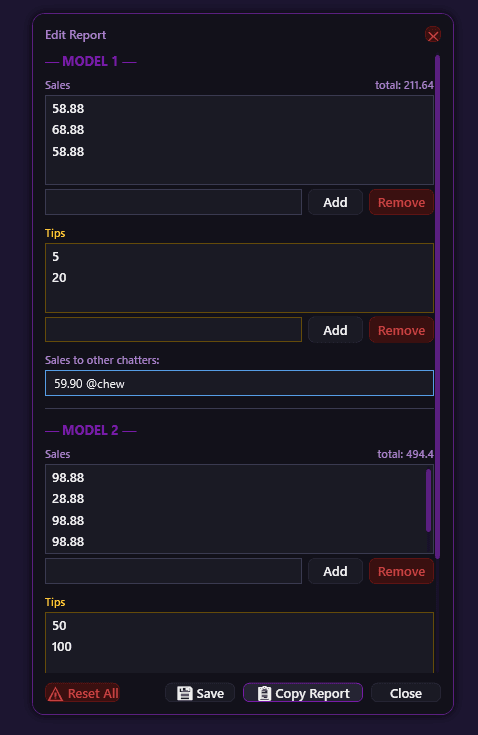
Hand off a clean report without typing a thing
Not into clicking?
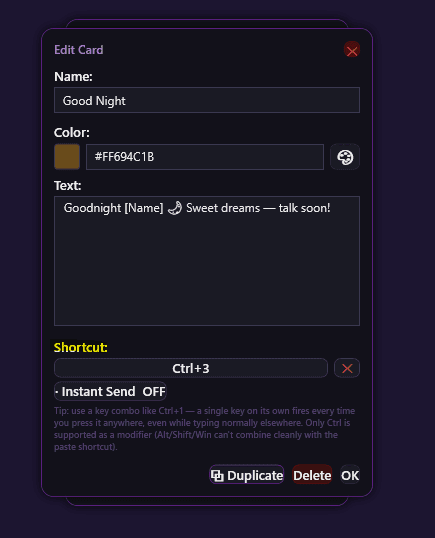
Any snippet card can be assigned its own system-wide keyboard shortcut, so it pastes without touching the mouse at all — and it fires the same reliable way on every CRM, every platform, every account. As long as the chat window you're typing in has focus, the shortcut lands the text right there — C.H.A.T. itself never needs to be the focused window, and it doesn't matter which page of your library is showing.
- • Two shapes: a single key on its own (like
1), or Ctrl + a key (likeCtrl+1) - • Works no matter which page of your library is on screen, as long as the chat box you're typing in is the focused window
- • Instant Send: turn it on and a shortcut pastes and hits Enter in one go — same as Ctrl+click, but from a key combo instead of the mouse
- • No duplicates — trying to reuse a shortcut already claimed by another card is rejected immediately, naming the card that has it
- • Built for reliability, not just speed — Ctrl-only by design. Alt, Shift, and the Windows key aren't offered as modifiers because they don't combine cleanly with every app's own paste shortcuts. The tradeoff is deliberate: a shortcut that fires correctly 100% of the time, every app, every CRM, instead of one that's flashier but fails occasionally
- • Turn on "Shortcut info" in settings to show a small label right on each card that has one, so you can glance at a page and see every active shortcut at once
There's more under the hood
The snippets and PPV tracking are just the start — two more built-in tools keep the rest of your shift running smoothly.
Never forget to send that "live" PPV
Stackable countdown reminders plus a repeating mass-message alarm, so timed follow-ups never slip through.
See how it works →Sharing ScriptsOrganize, pop out, and share your snippet library
Bulk-build a whole page of cards in one pass with Quick Page Maker, drag cards between pages and windows, give any card its own keyboard shortcut, then export a single page to share with another chatter without handing over your whole setup.
See how it works →Built around your workflow, not someone else's dashboard
C.H.A.T. doesn't connect to any platform's API, doesn't log your conversations, and doesn't report anything to anyone. It works at the OS level — clipboard and keystrokes — purely to make you faster. It's your tool, on your machine, for your shift. There's nothing here that breaks platform rules — the quick-hide feature is just there for everyday moments like a screen share, a screenshot, or checking something on the screen underneath.
Small and out of the way
A compact panel that stays out of your screen — there the instant you need it, gone the rest of the time
No connection to your chat platform
Works on top of any app — zero API access
Never steals focus
Click a card without ever leaving the chat box
Four themes + a mascot
Including a fully restyled retro 90s mode
Up and running in minutes
A guided first-run tour walks you through the essentials, with a ready-made starter setup one click away
Double-Ctrl to hide
Clear it off-screen instantly for a screen share or screenshot
Make it feel like yours
Deep-space purple, steel blue, dark forest green, or go full mid-90s retro chrome. Pick a sound set, mute it entirely, or let the mascot react every time you sell a PPV.
Chatters are already faster with it
(Placeholder quotes — swap these for real ones whenever you're ready)
"I stopped losing track of PPVs and tips the first night I used it."
— Chatter, 2 models
"Ctrl+click to send is the single best feature on this thing."
— Night shift chatter
"The report alone saves me 15 minutes at the end of every shift."
— Solo chatter
One price. Everything included.
No tiers, no subscription, no upsells. Buy it once and it's yours.
C.H.A.T. — Lifetime License
$19.90
one-time payment, no subscription — one machine
Windows only — no Mac or Linux support
- • Full snippet library — unlimited pages & cards
- • Live PPV & tip tracking with one-click shift reports
- • Countdown reminders, clock & repeating alarm
- • 4 themes, sound packs, and the mascot
- • Guided first-run tour + ready-made starter setup
- • License key emailed instantly, plus a download link
Taxes may apply and will be calculated at checkout.
Your shift starts faster tonight.
One purchase. Locked to your PC. A key sent straight to your inbox. A guided first-run tour has you up and running before your next chat comes in.